Roles & Permissions
Roles let you control what teachers can see and do in ClassBuddy. Each role is a named collection of permissions. You can create as many roles as you need and assign them to individual teachers.
A teacher can hold multiple roles. Their effective access is the union of all permissions across every role assigned to them.
Creating, editing, and deleting roles requires the role:update permission. Removing a role from a teacher requires the teacher:update permission.
View Roles
Go to Settings > Roles to see all roles.
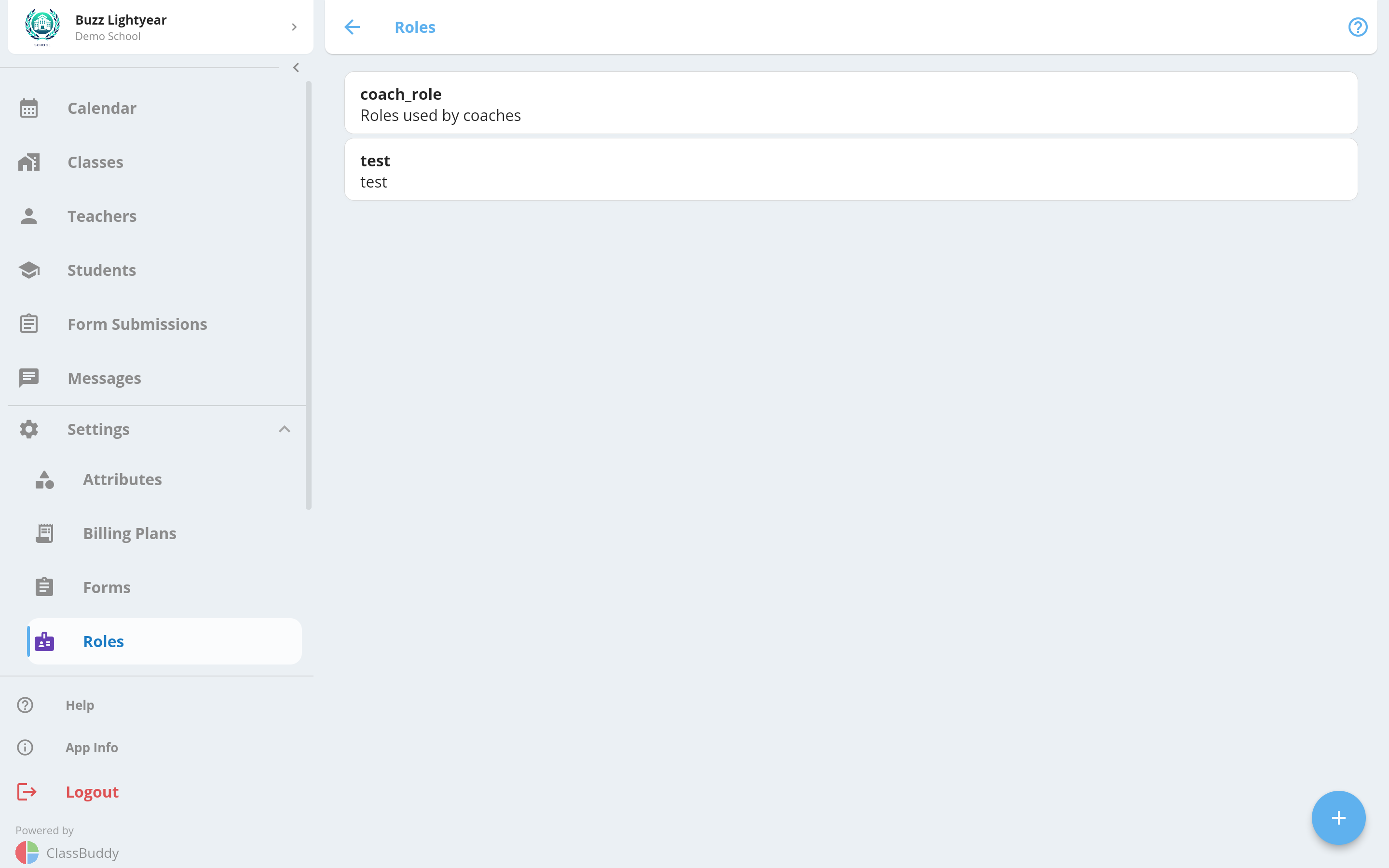
Each card shows the role name and description. Tap a card to open the role detail view.
Create a Role
Tap the + button to create a new role.
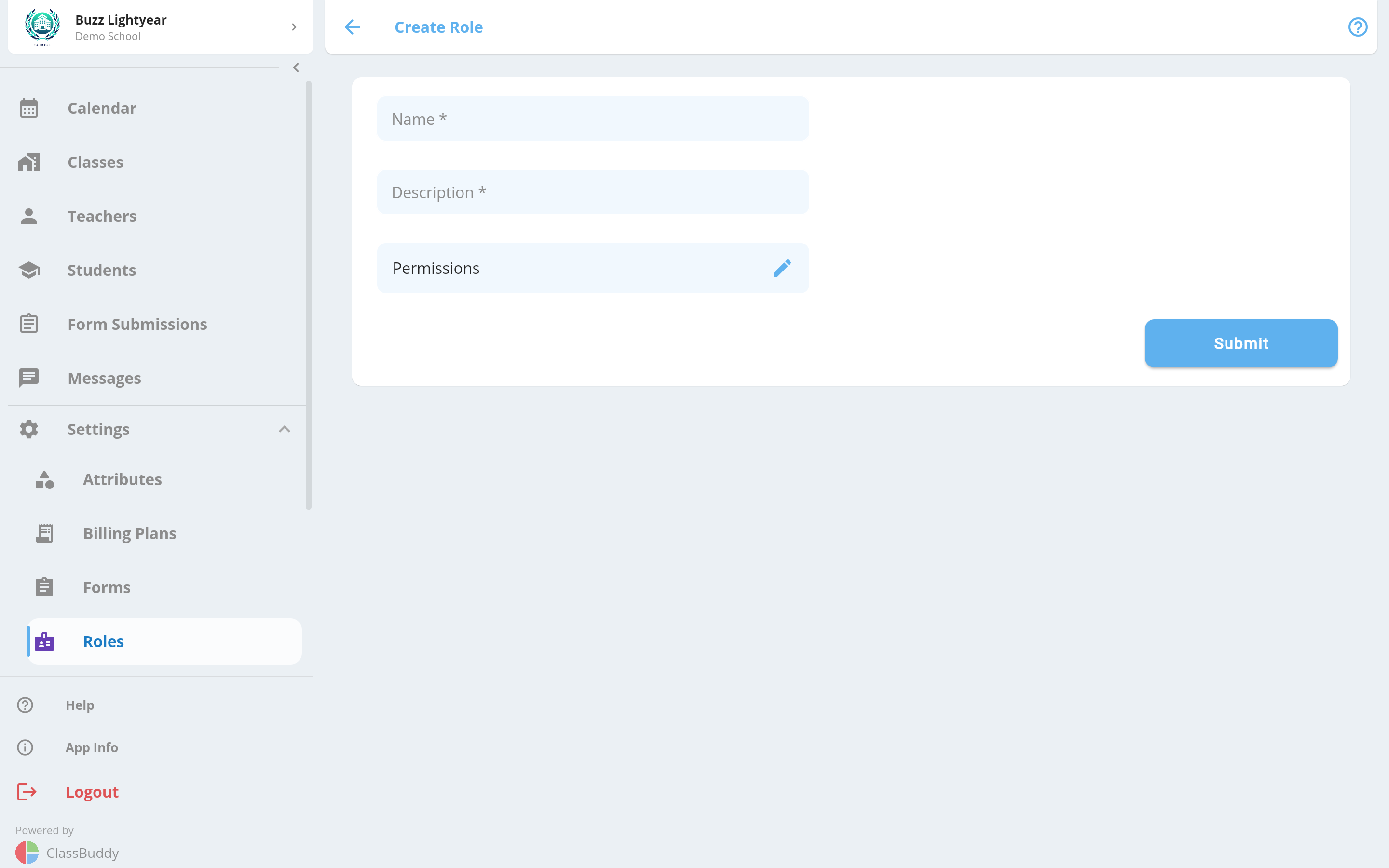
| Field | Description |
|---|---|
| Name | A short, descriptive name for the role (e.g. "Class Teacher", "Admin Staff") |
| Description | A brief explanation of what this role is for |
| Permissions | Select one or more permissions from the list |
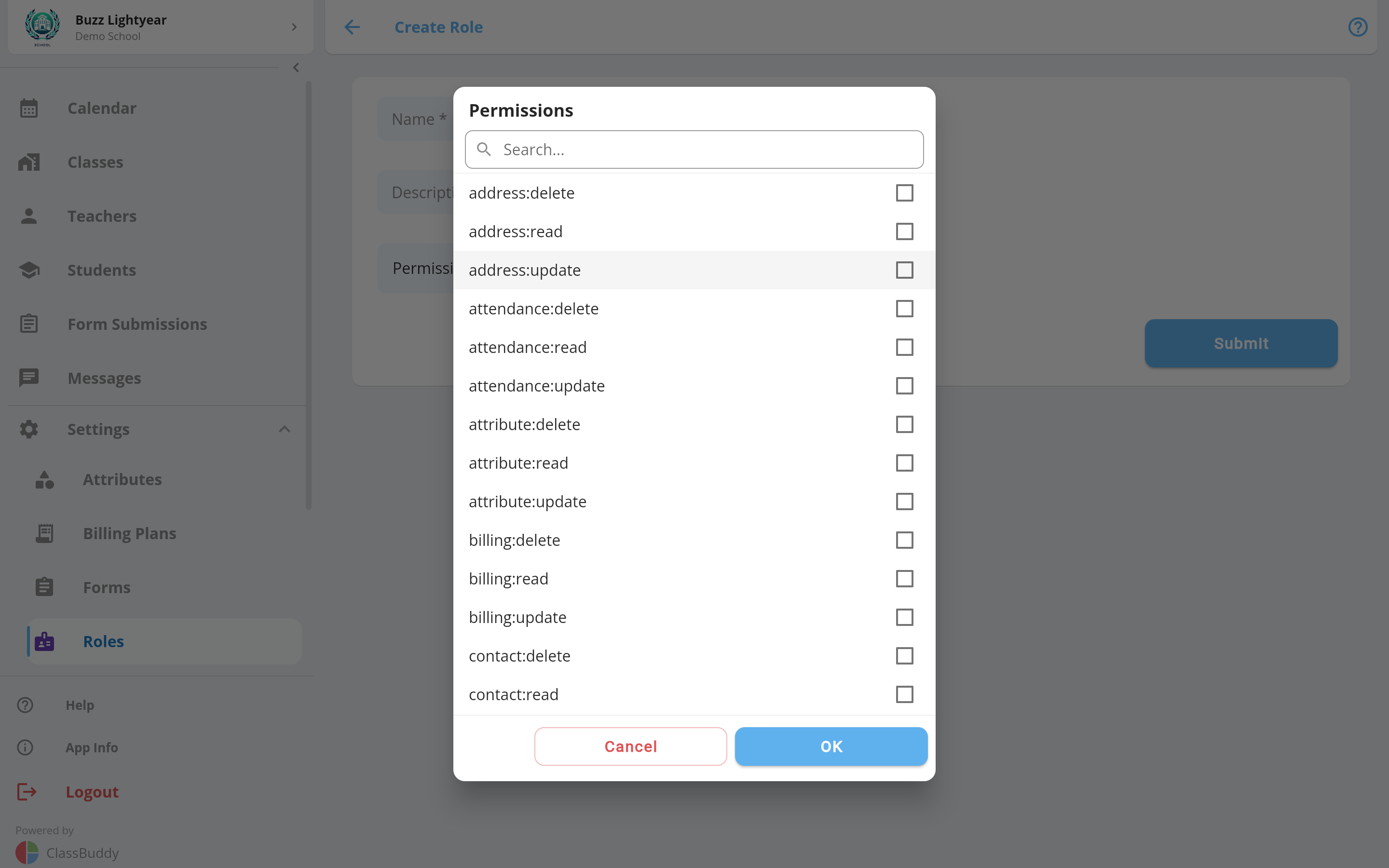
Tap Submit to create the role. Once created it appears in the roles list.
View Role Details
Tap any role to open its detail view. There are two tabs: Info and Teachers.
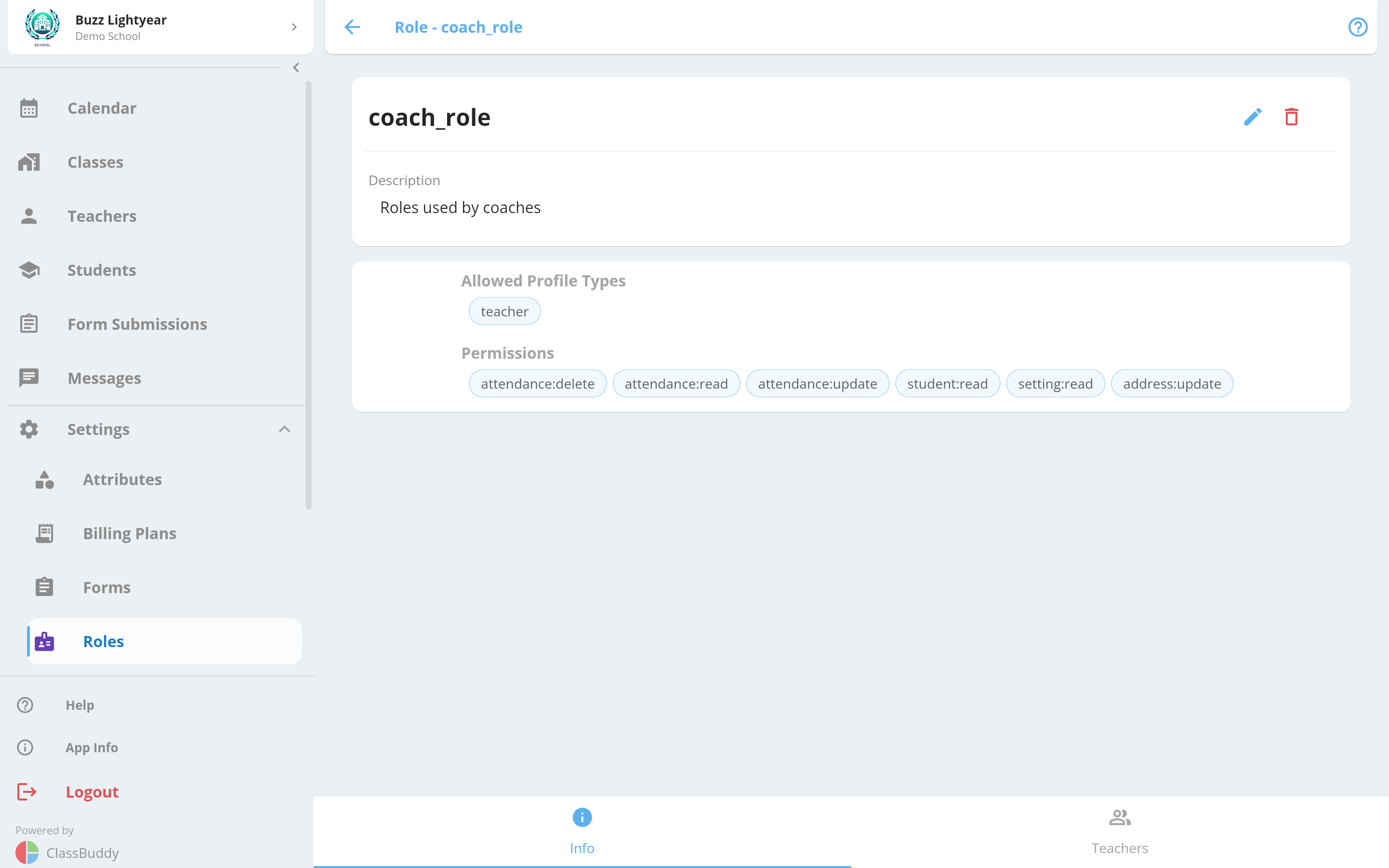
The Info tab shows:
- Role name and description
- All permissions assigned to the role (displayed as chips)
From the menu (three dots) on the Info tab you can Edit or Delete the role.
Deleting a role removes it from all teachers currently assigned to it.
Edit a Role
From the Info tab menu, choose Edit to update the role name, description, or permissions.
Assign Teachers to a Role
Go to the Teachers tab on the role detail view. It shows all teachers currently assigned to this role.
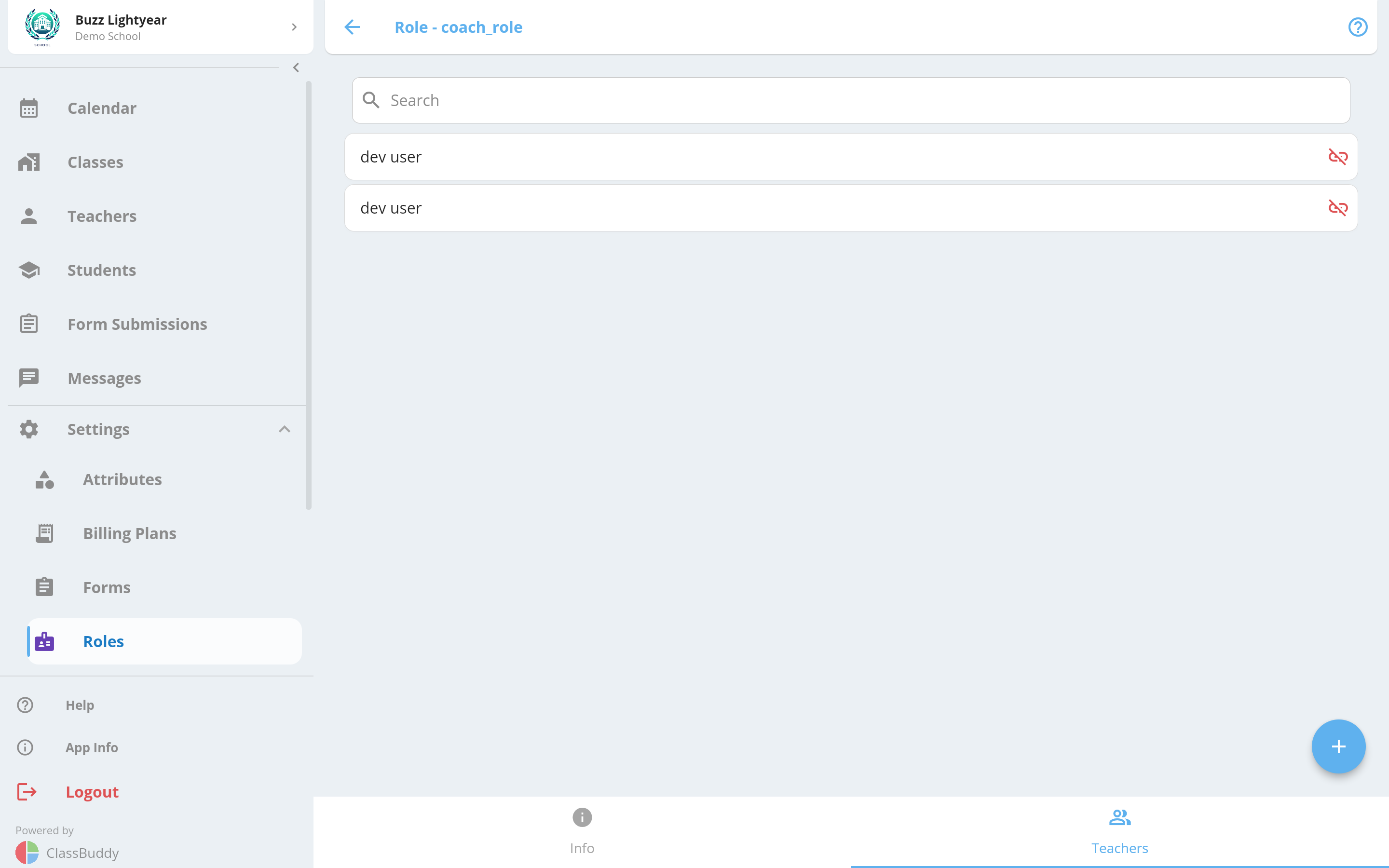
Tap the + button to assign teachers. A multi-select dialog lists all teachers who have a ClassBuddy account and are not already assigned to this role. Select one or more and confirm.
Only teachers who have signed up on the ClassBuddy app appear in this list. Teachers must log out and log back in for new permissions to take effect.
Use the search bar to filter the list by teacher name.
Remove a Teacher from a Role
On the Teachers tab, tap the unlink icon next to a teacher to remove them from the role. Confirm when prompted.
You can also remove a role from a teacher's own profile page. See Teachers for details.
Permissions Reference
The following permissions can be assigned to roles. Group them into roles that match how your staff are structured.
Administration
| Permission | What it allows |
|---|---|
is_admin | Full access — equivalent to the school account holder. Grants all actions. |
Students
| Permission | What it allows |
|---|---|
student:read | View students |
student:update | Edit student details and status |
student:delete | Delete students |
Teachers
| Permission | What it allows |
|---|---|
teacher:read | View teachers |
teacher:update | Edit teacher details, assign and remove roles |
teacher:delete | Delete teachers |
Entities
| Permission | What it allows |
|---|---|
entity:read | View student and teacher records |
entity:update | Edit student and teacher records |
entity:delete | Delete student and teacher records |
Classes & Schedules
| Permission | What it allows |
|---|---|
event:read | View classes |
event:update | Edit classes |
event:delete | Delete classes |
schedule:read | View schedules |
schedule:update | Edit schedules |
schedule:delete | Delete schedules |
Attendance
| Permission | What it allows |
|---|---|
attendance:read | View attendance records |
attendance:update | Mark and edit attendance |
attendance:delete | Delete attendance records |
Billing
| Permission | What it allows |
|---|---|
billing:read | View billing plans and invoices |
billing:update | Edit billing plans and invoices |
billing:delete | Delete billing plans and invoices |
Forms
| Permission | What it allows |
|---|---|
form:read | View forms |
form:update | Create and edit forms |
form:delete | Delete forms |
form_config:read | View form fields |
form_config:update | Edit form fields |
form_config:delete | Delete form fields |
form_submission:read | View form submissions |
form_submission:update | Archive submissions and add notes |
form_submission:delete | Delete form submissions |
Contacts
| Permission | What it allows |
|---|---|
contact:read | View contacts |
contact:update | Add and edit contacts |
contact:delete | Delete contacts |
Attributes
| Permission | What it allows |
|---|---|
attribute:read | View attributes and lookup values |
attribute:update | Create and edit attributes |
attribute:delete | Delete attributes |
Addresses
| Permission | What it allows |
|---|---|
address:read | View addresses |
address:update | Create and edit addresses |
address:delete | Delete addresses |
Roles
| Permission | What it allows |
|---|---|
role:read | View roles |
role:update | Create, edit, delete roles, and assign them to teachers |
role:delete | Delete roles |
Settings
| Permission | What it allows |
|---|---|
setting:read | View school settings |
setting:update | Edit school settings |
Messaging
| Permission | What it allows |
|---|---|
message:send | Send messages to students, teachers, and classes |
Data Import
| Permission | What it allows |
|---|---|
data_import:create | Upload CSV files to bulk import data |
data_import:read | View upload history and results |
Teachers always have read access to schedules they are personally assigned to, regardless of their role permissions.