Subscriptions
ClassBuddy offers three subscription plans. All new schools start on the Free plan automatically.
Go to Settings > Subscriptions to view your current plan and available upgrades.
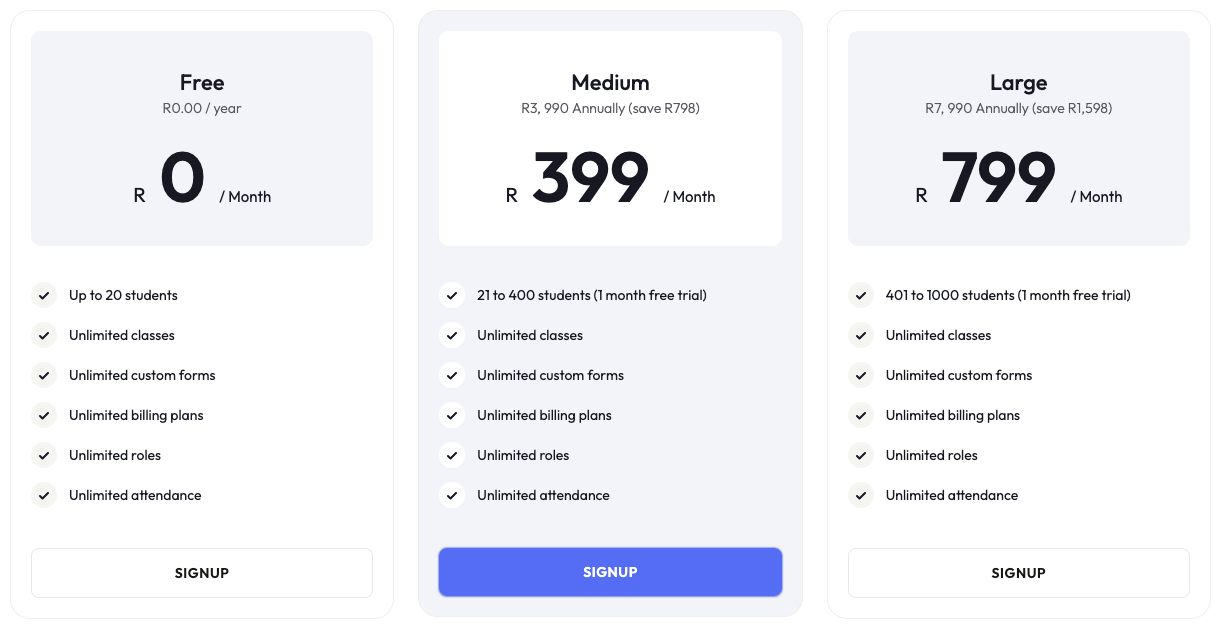
Plans
| Plan | Student limit | Notes |
|---|---|---|
| Free | Up to 20 students | Default for all new schools |
| Medium | 21 – 400 students | Includes a free trial period |
| Large | 401 – 1,000 students | Includes a free trial period |
Both paid plans are available on monthly or yearly billing. Yearly billing is discounted compared to monthly.
How to purchase a subscription
Subscriptions are purchased through the Android or iOS app. The web platform does not support purchasing directly, but once a subscription is active on mobile, it applies across all platforms including the web app.
- Open the ClassBuddy app on Android or iOS.
- Go to Settings > Subscriptions.
- Select the plan you want and follow the in-app purchase steps.
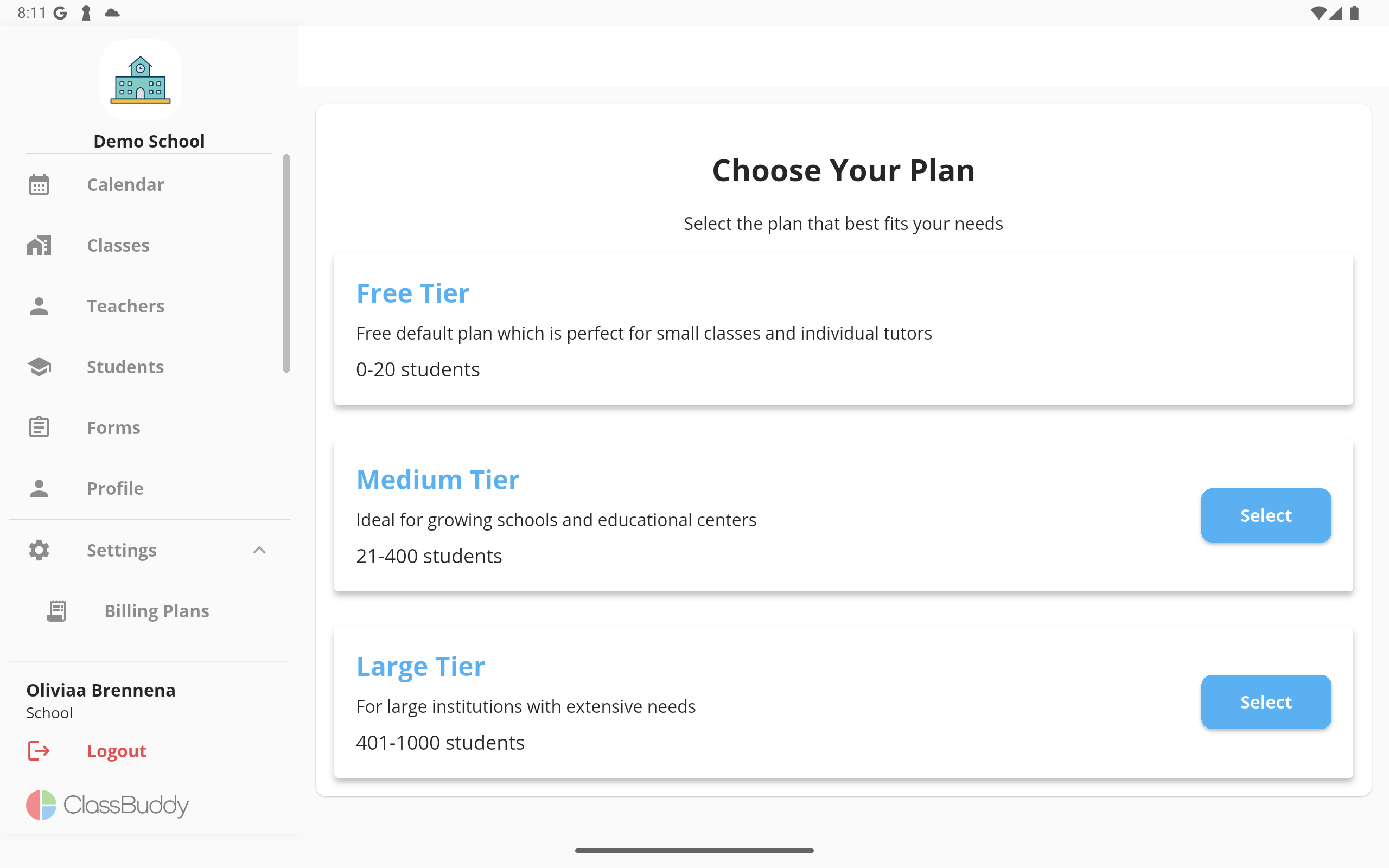
Once purchased, the new plan is active immediately across all devices.